Choice android applications on my Samsung Galaxy S2

0 comments


I recently got a Samsung Galaxy S2, costing me more than my two months free cash, and though there is now a Samung Galaxy S3 yet S2 is still a very highly rated android smartphone. In fact, it was named the best smartphone at the Mobile World Congress this year 

I won't bore you with the details of all the great timeless features of the phone that makes it a kill. But I will be stunning you with the crisp screenshots that shows you all my choice applications on the phone and my widget filled homescreens.

 HomeScreen 1


You too can write Unix/Linux scripts

0 comments


Are you new to the world of Unix/Linux and hitherto have been impressed by the flexibility of the operating system?
Have you been considering scripting as a very cryptic task reserved for those that earn a living making them?
Well, it's time you hear the truth! Linux scripting is extremely easy and you too can start exploiting the benefits they offer.
Without much ado, let's see an example of a script.

#!/bin/bash
echo "Hello World"

Google+ on a computer and on android phone, apple's iOS to follow

0 comments

Finally, apple approves Google+ app! The only issue is, iPod (regardless of the generation) and iPad are not supported, infact I couldn't search out the app on my iPod 4G.

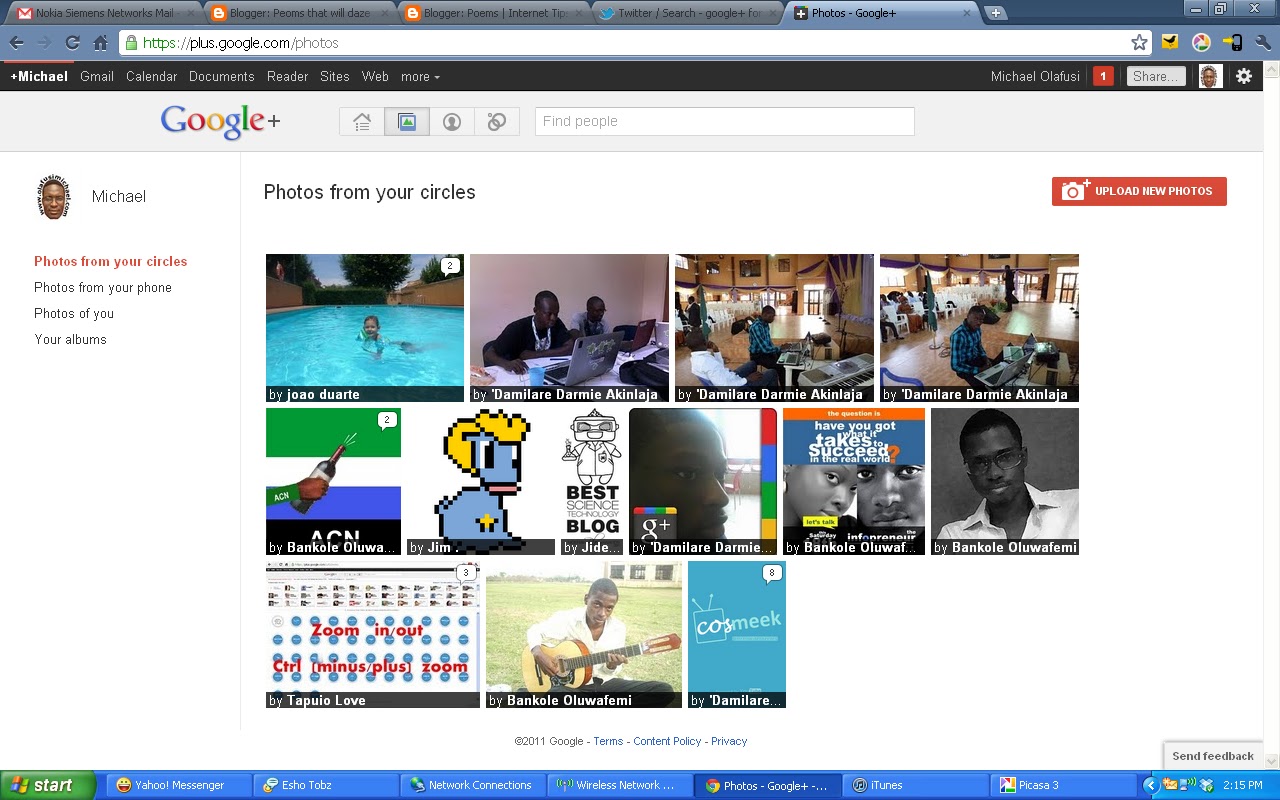
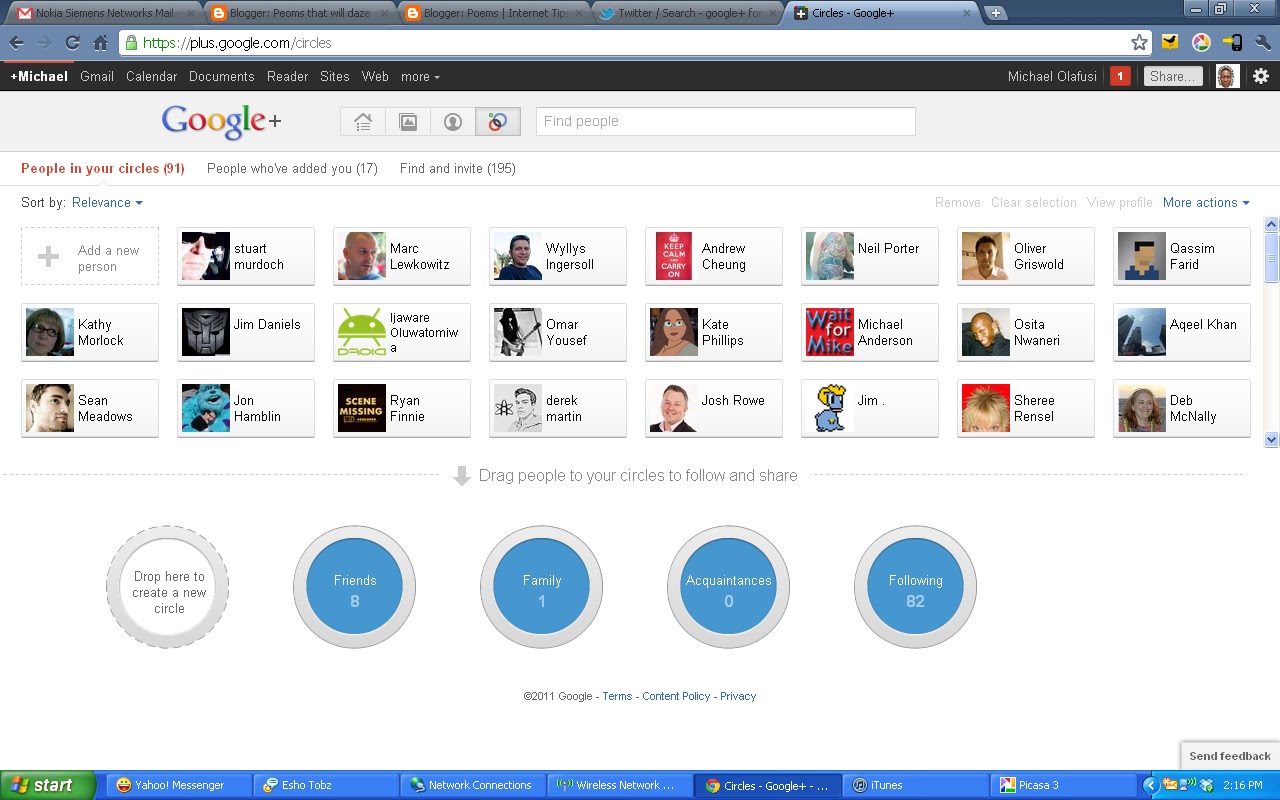
That aside, in this post I am going to share with you what the Google+ looks like on web via a computer and on android via the android app.

The snapshots below are of the web (computer).


While below are the screenshots from the Google+ android app


I would have loved to provide you the iOS screenshots, but no problem, you can get some here http://itunes.apple.com/us/app/google/id447119634?ls=1&mt=8 
And to install it on a jailbroken iPod, just check here https://www.facebook.com/G00GLEPLUS 

One last thing, if you live outside US, you won't be able to download the Google+ app from the android market (just like that). There is a workaround thanks to   and an app called MarketEnabler. Install the app (note that it requires your phone to be rooted).


Launch it.


Select Settings list 


Select the T-mobile option for 2 to 3 seconds till a prompt shows up. And fake this provider now


Launch the Market app and search for google+


The Market will now show you a result like the one below.


Install and start circling!

 
Follow me on Twitter | About me | Terms of Service | Privacy Policy